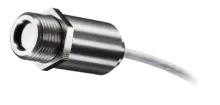
Compact Connect for Optris Infrared Thermometers
License-Free Software for Online Infrared Pyrometers
Software Highlights of the Compact Connect
- No additional cost and no limitation in licensing
- Temperature over Time Data Recording
- Advanced signal processing
- Complete parametrization of sensors via software
- Automatic process control
- Customer-specific software adjustments
- Digital and graphical displays
Download the Latest Compact Connect Software
DOWNLOAD
ZIP – 158.87 MB
Compact Connect 1.10.11 2024-04-A
Complete the form to download the file
Software Archive
DOWNLOAD
ZIP – 160.48 MB
Compact Connect 1.10.10 2023-12-A
Complete the form to download the file
DOWNLOAD
ZIP – 157.52 MB
Compact Connect 1.10.9 2023-04-A
Complete the form to download the file
Full Control on Optris Pyrometers, No Extra Cost
CompactConnect stands out as an innovative software solution designed to elevate the field of infrared thermometer interface functionality. It offers a comprehensive suite of features tailored to meet the precise needs of temperature data analysis and documentation. At its core, CompactConnect provides users with the unprecedented ability to fully parameterize connected sensors, enabling fine-tuning of settings like emissivity values and alarm thresholds directly through its intuitive interface. This customization capability ensures optimal performance, particularly crucial in the realm of complex industrial processes where accuracy is paramount.
The software’s installation process is straightforward and hassle-free, supporting various interfaces such as USB and Ethernet while demanding minimal system resources, thus ensuring smooth operation even on hardware with limited capabilities. CompactConnect further streamlines the setup process with its automatic scanning and connection feature, simplifying integration with compatible sensors and reducing setup time.
CompactConnect’s advanced signal processing features, including smart averaging, dynamically adjust to rapid temperature changes, enhancing accuracy and reliability in temperature monitoring tasks. Users benefit from a range of functionalities such as temperature data display and recording, snapshot creation for video models, and intuitive task management, all within a user-friendly interface.
In essence, CompactConnect isn’t just a software solution; it’s a paradigm shift in temperature measurement technology. By providing unparalleled customization, seamless integration, and advanced features, CompactConnect empowers users to achieve unmatched precision and efficiency in temperature monitoring, ultimately driving operational excellence and ensuring regulatory compliance across diverse industries.
Full Parameterization of Sensors
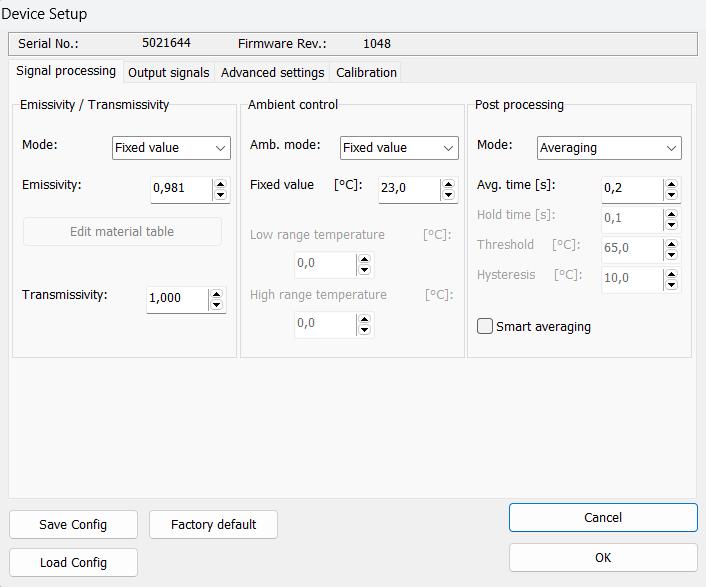
CompactConnect software provides extensive customization options for tailored temperature monitoring solutions. Users can adjust settings such as optical properties, signal output, and digital communication to meet specific application needs.
This flexibility ensures optimal performance and functionality in various scenarios, empowering users to create efficient solutions aligned with their operational requirements. CompactConnect revolutionizes temperature monitoring by offering a customizable experience beyond standard solutions, driving efficiency and innovation.
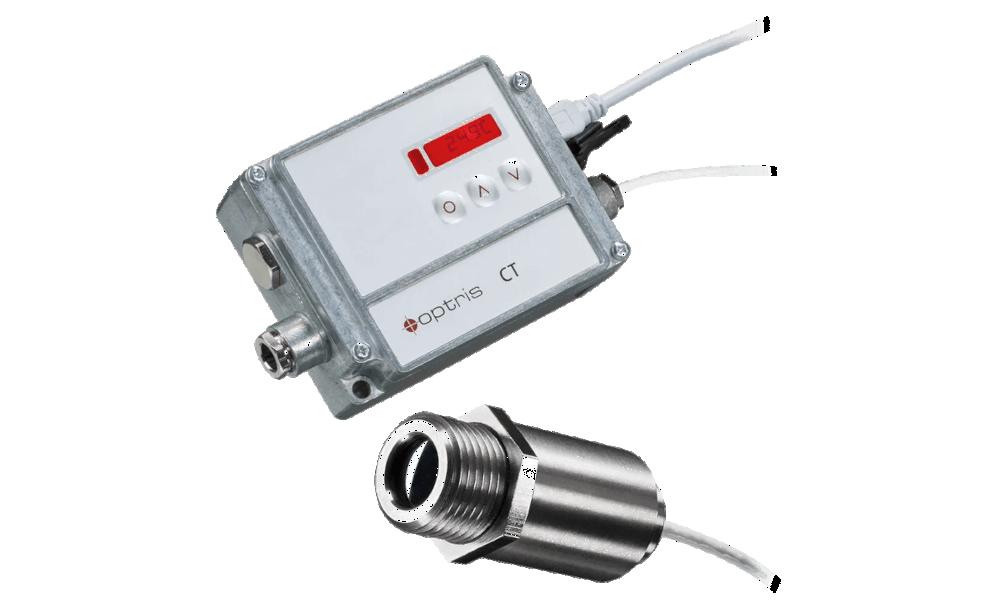
Automatic Process Control
CompactConnect software streamlines temperature monitoring and control processes, bolstering efficiency and precision in industrial settings. Through automation, engineers achieve consistent and accurate temperature regulation without manual oversight.
Advanced features like alarming enable continuous monitoring, mitigating errors and enhancing operational performance. CompactConnect empowers seamless control loop applications, ensuring optimal temperature management with minimal intervention.
Digital and Graphical Displays
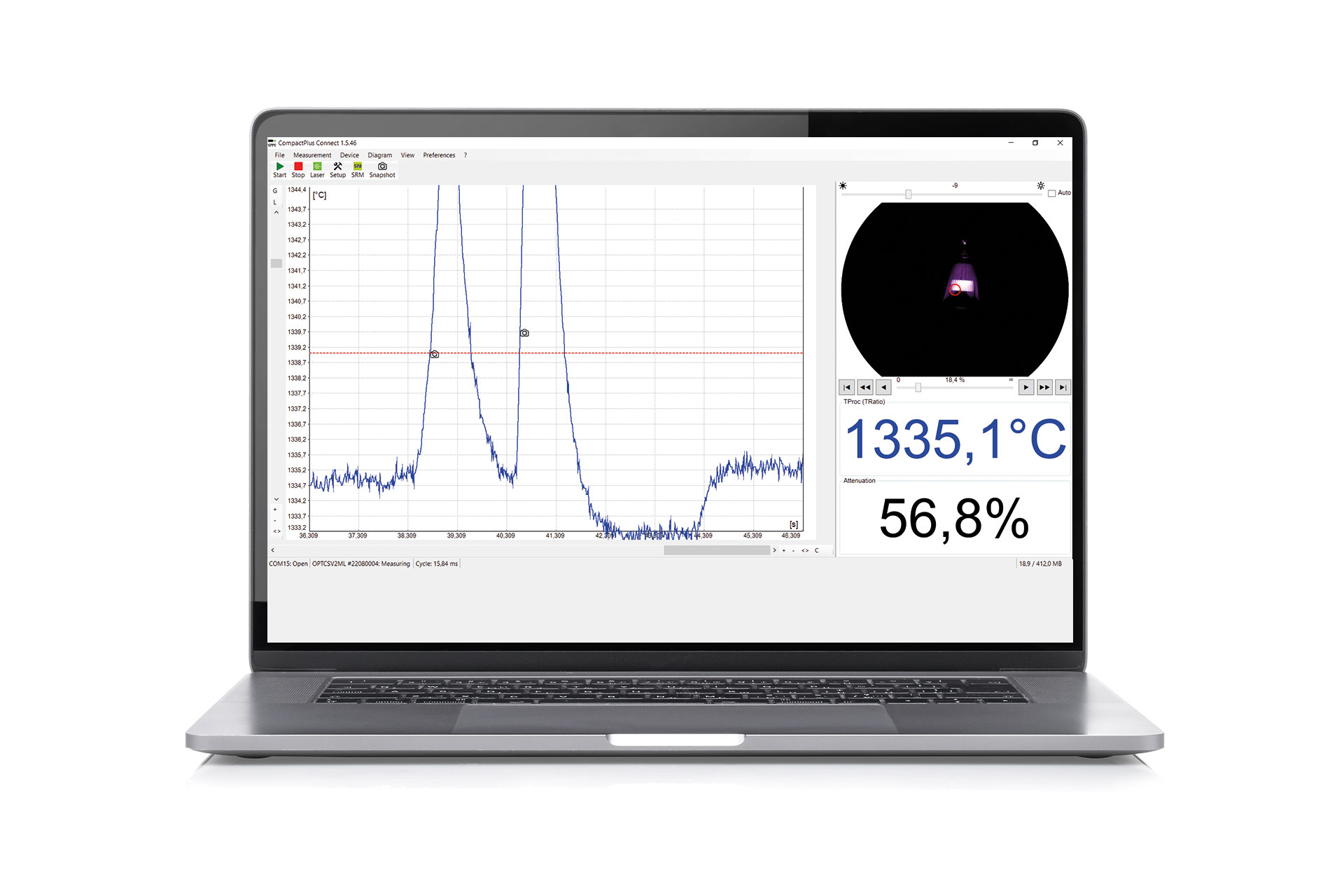
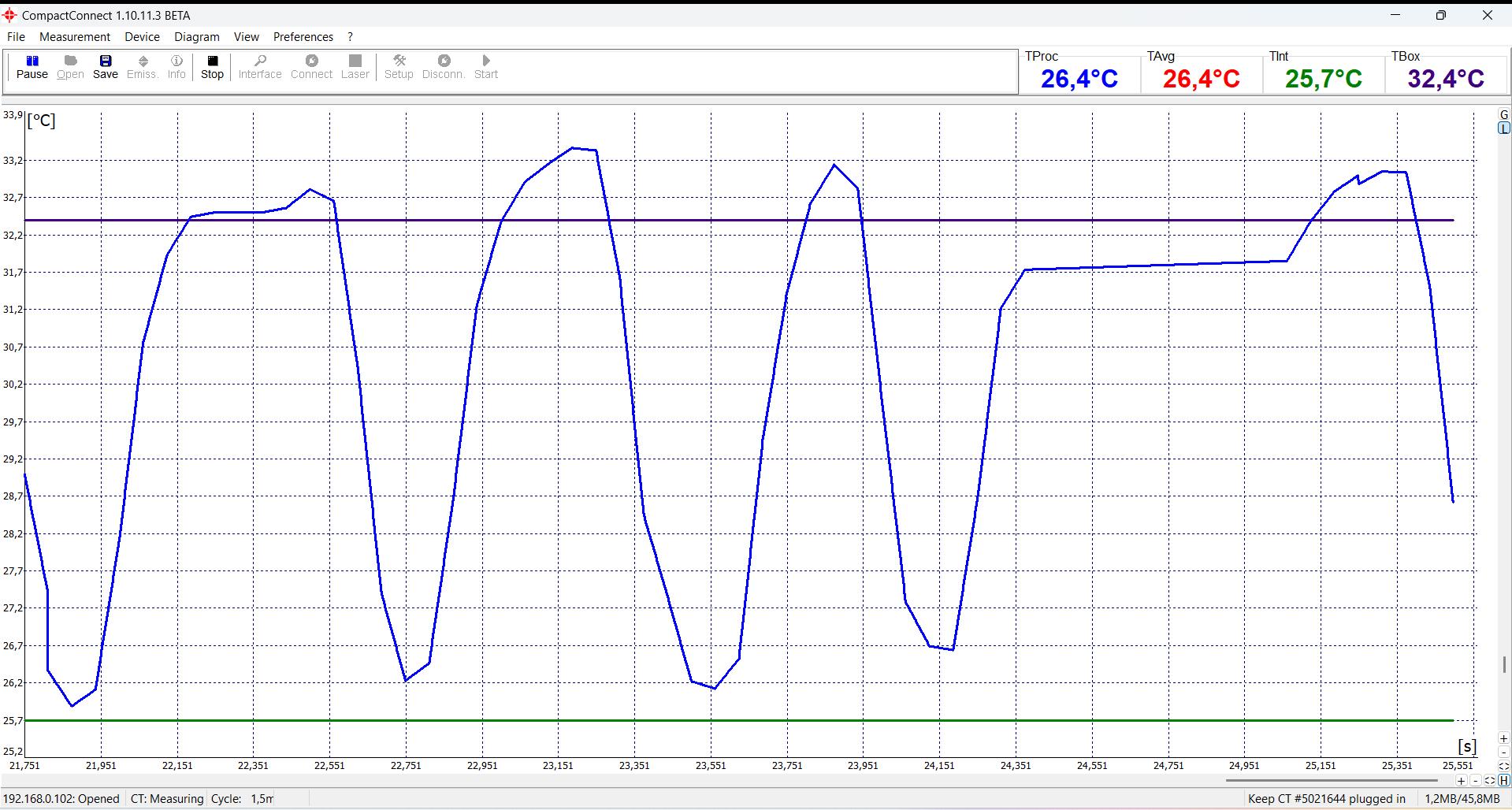
CompactConnect offers versatile display options tailored to diverse applications, including digital displays for rapid temperature assessments and graphical plots showcasing temperature trends over time for comprehensive analysis.
Users can export these trends to Excel for further post processing, ensuring flexibility and compatibility with varying data analysis needs. Whether for quick insights or in-depth trend examination, CompactConnect’s customizable display features empower users with actionable temperature data.
Advanced Signal Processing
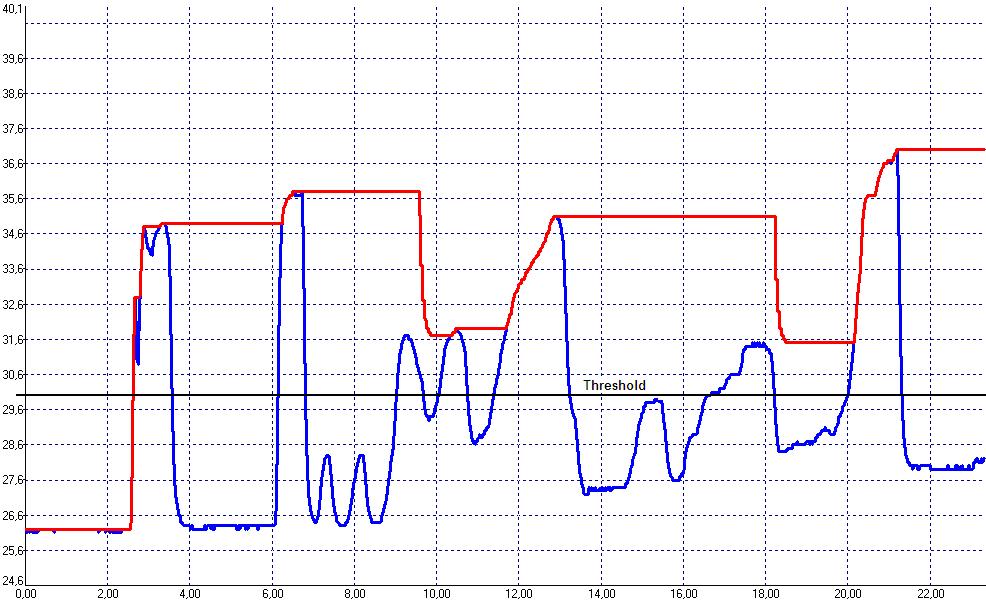
CompactConnect software incorporates advanced smart averaging, dynamically adjusting signals to improve measurement accuracy. It also provides sophisticated post-processing features like peak hold and valley hold to effectively capture and analyze transient temperature events.
These capabilities guarantee precise and reliable temperature readings, even in complex scenarios. Furthermore, users can transmit processed information to the electrical output of the pyrometer, facilitating seamless integration with existing systems.
User-Friendly Installation, Minimal Hardware Requirements and Configuration Export
CompactConnect software offers a hassle-free installation process, requiring minimal technical hardware performance. Its user-friendly interface ensures easy navigation and operation of the pyrometer.
Configuration files can be effortlessly saved locally and transferred to a new device in case of a pyrometer swap, ensuring seamless continuity of operations.

Snapshot Creation for Video Models:
CompactConnect software empowers users to capture and store snapshots for infrared video models, facilitating documentation with visual images and real-time temperature data analysis. This functionality enhances monitoring and diagnostics by enabling users to review and compare historical data.
By storing snapshots, users can gain valuable insights, improving overall temperature monitoring efficiency and decision-making processes.
Digital Communication and Documentation for own Software Solutions
The CompactConnect software boasts robust digital communication capabilities, comprehensive documentation, and a binary chat program. This example program enables users to test and verify communication with connected infrared sensors, simplifying the integration of Optris online thermometers into their software solutions.
Through sending binary commands and receiving responses, users can troubleshoot, test, and optimize sensor performance, ensuring seamless and efficient operation.

Standalone Software without Internet connection required
CompactConnect operates autonomously as a standalone application, eliminating the need for an internet connection, which is crucial for cybersecurity-sensitive applications.
All data processing occurs directly on the pyrometer, with the software dedicated solely to visualizing temperature data and configuring the pyrometer. This ensures heightened security and reliability, making it an ideal choice for critical applications where cybersecurity is paramount.
Firmware Updates
CompactConnect software plays a pivotal role in performing firmware updates on Optris devices, ensuring they remain up-to-date with the latest features and improvements. This feature enables users to easily update firmware, enhancing device performance and ensuring compatibility with evolving needs and technologies.
By leveraging CompactConnect for firmware updates, users can maintain peak performance and unlock the full potential of their Optris devices.
Hardware Requirements
Minimum system requirements:
- Windows operating system
- USB 2.0-interface
- At least 128 MB RAM
- Hard disc with at least 30 MByte freespace
- 2,0 GHz processor power
Recommended system requirements:
- Windows 10
- At least 2 GB hard disk storage for measurements
- At least 2 GB RAM
Documentation
Download
DOWNLOAD
Compact Connect Changelog
Complete the form to download the file
DOWNLOAD
PDF – 2.97 MB
Compact Connect Manual
Complete the form to download the file
FAQs
What is the difference between the CompactPlus Connect and the CompactConnect?
The CompactPlus Connect is the successor to the CompactConnect, designed to support the latest infrared sensors, offering advanced features and capabilities. In contrast, the CompactConnect is tailored for legacy products, providing support and functionality for older infrared sensors. While both versions serve the purpose of interfacing with infrared thermometers, the CompactPlus Connect is optimized for newer sensor models, offering enhanced performance and compatibility with the latest technologies.
Where is the temperature data signal processed?
The temperature data signal is processed within the pyrometer itself. While our software facilitates configuration and provides visual representation of the measurement data, the pyrometer independently stores the configuration and processes the measurement data signal.
How can I restore the configuration of a pyrometer?
The best practice is to store a copy of the pyrometers configuration on the computer and, if needed, load this configuration back into the pyrometer.
Does the software run on Linux?
No, the software is exclusively designed for Windows operating systems and does not support Linux.