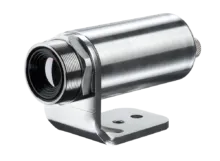
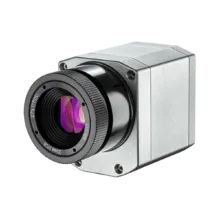
PIX Connect for PI and Xi Infrared Cameras
Extensive License-free Feature-Rich IR Software Package for PI and Xi Infrared Cameras
Software Highlights
of the PIX Connect: Limitless Functionalities, No Extra Cost
- No licensing limitations, free of charge
- Full control of all PI and Xi IR cameras
- Customizable for specific applications
- Enables automatic process control
- Extensive analysis functions for documentation
- Maintained by German engineers
- Expert support via phone, email, online meetings
- No internet connection required
- No subscription model
- Free updates
Download the Latest PIX Connect Software
DOWNLOAD
ZIP – 279.54 MB
PIX Connect 3.24.3127.0
Complete the form to download the file
MANUAL
PDF – 4.4 MB
PIX Connect Manual
Complete the form to download the file
Software Archive
DOWNLOAD
ZIP – 276.64 MB
PIX Connect 3.23.3122.0
Complete the form to download the file
DOWNLOAD
ZIP – 297.41 MB
PIX Connect 3.22.3118.0
Complete the form to download the file
DOWNLOAD
ZIP – 308.67 MB
PIX Connect 3.21.3113.0
Complete the form to download the file
Limitless Functionalities, Full Support, No Extra Cost
The IR analysis software Optris PIX Connect sets new standards in thermography with its extensive recording and real-time analysis capabilities. It excels in industrial processes, automation, and quality control, allowing users to set individual process-related alarm levels to quickly respond to temperature fluctuations and optimize processes. The radiometric processing of image data facilitates detailed analysis, making it invaluable for industrial applications.
A key advantage of Optris PIX Connect is its unrestricted licensing, which provides flexibility for businesses and research institutions without constraints. The user-friendly interface ensures easy navigation, allowing for detailed configuration of Optris infrared cameras. This includes settings such as frame rate, measurement range, external communication, and USB/Ethernet configurations, as well as facilitating firmware updates and configuration file downloads.
PIX Connect is crucial for configuring infrared temperature settings, such as measurement fields, emissivity, and alarm values, supporting advanced temperature data stream signal processing. It records infrared images and triggered snapshots, enabling comprehensive analysis of temperature variations over time, which is essential for quality control and process optimization.
The software’s high degree of customization allows users to configure cameras for specific needs, making it versatile across various industries. By offering advanced algorithms and features like the Linescanner function for measuring dynamic objects and the merger function for combining images from multiple cameras, PIX Connect avoids the need for costly custom software development.
Optris’ free PIX software, continuously maintained and improved by German engineers, is a reliable and cutting-edge solution for precision and efficiency in thermal imaging applications.
Industry Thermographic Software Leader for Xi and PI Infrared Cameras
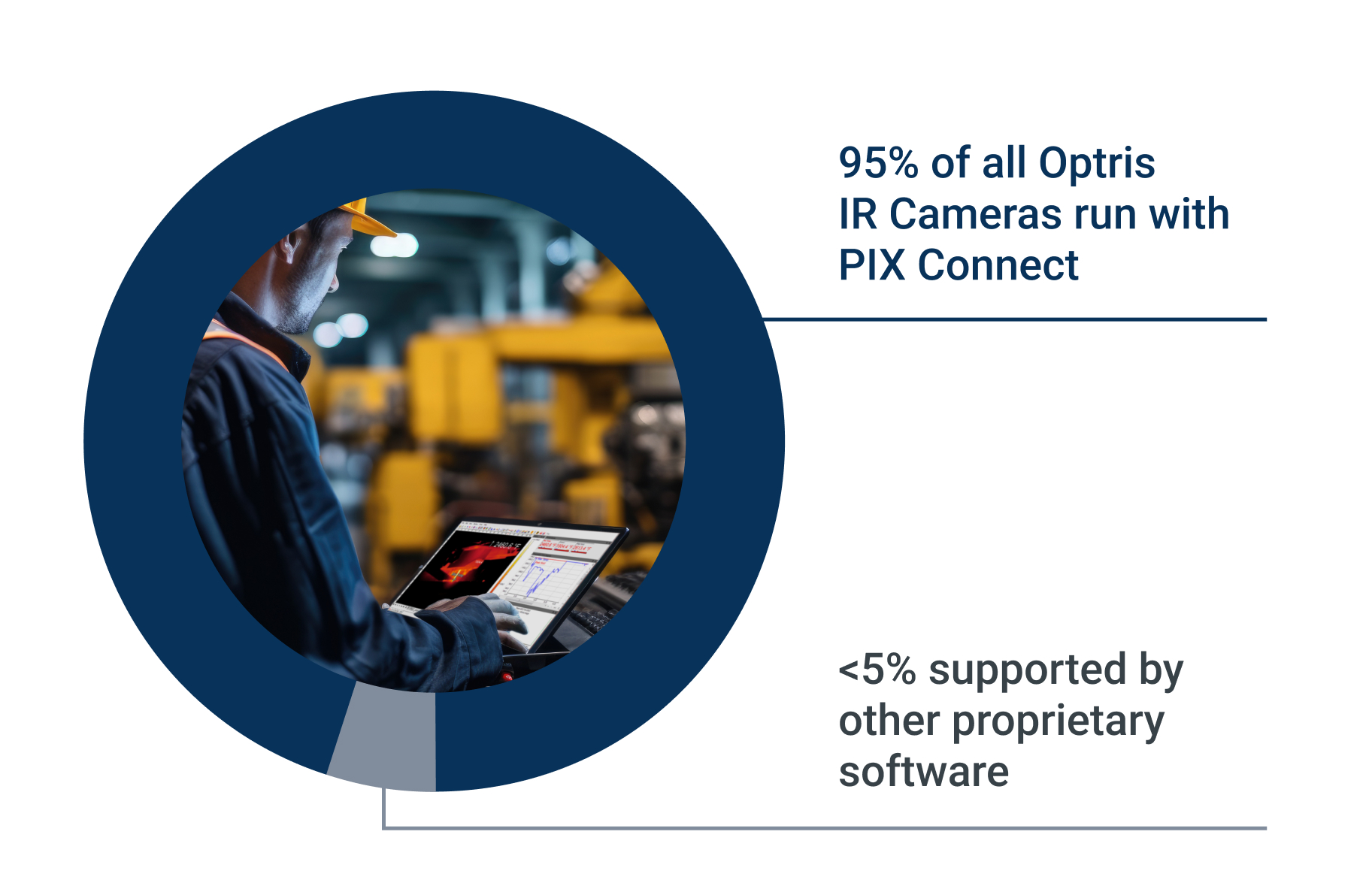
PIX Connect, the leading software for industrial online infrared temperature monitoring with Optris IR cameras, offers extensive features and robust performance.
Its unrestricted licensing and user-friendly interface allow for precise camera configuration and detailed analysis. Highly adaptable and customizable, PIX Connect supports quality control and process optimization, making it the trusted choice for industrial users needing reliable temperature monitoring.
Continuously Maintained and Supported by Software Engineers
While German engineers continuously improve the software with updates, expert support from application engineers is available for configuration, customization, and troubleshooting.
This support can be accessed via phone, email, remote connection, or on-site visits. Comprehensive video guides and detailed documentation further help users to fully utilize the capabilities of Optris thermal imaging cameras.
Full Control and Configuration of all Optris IR Cameras
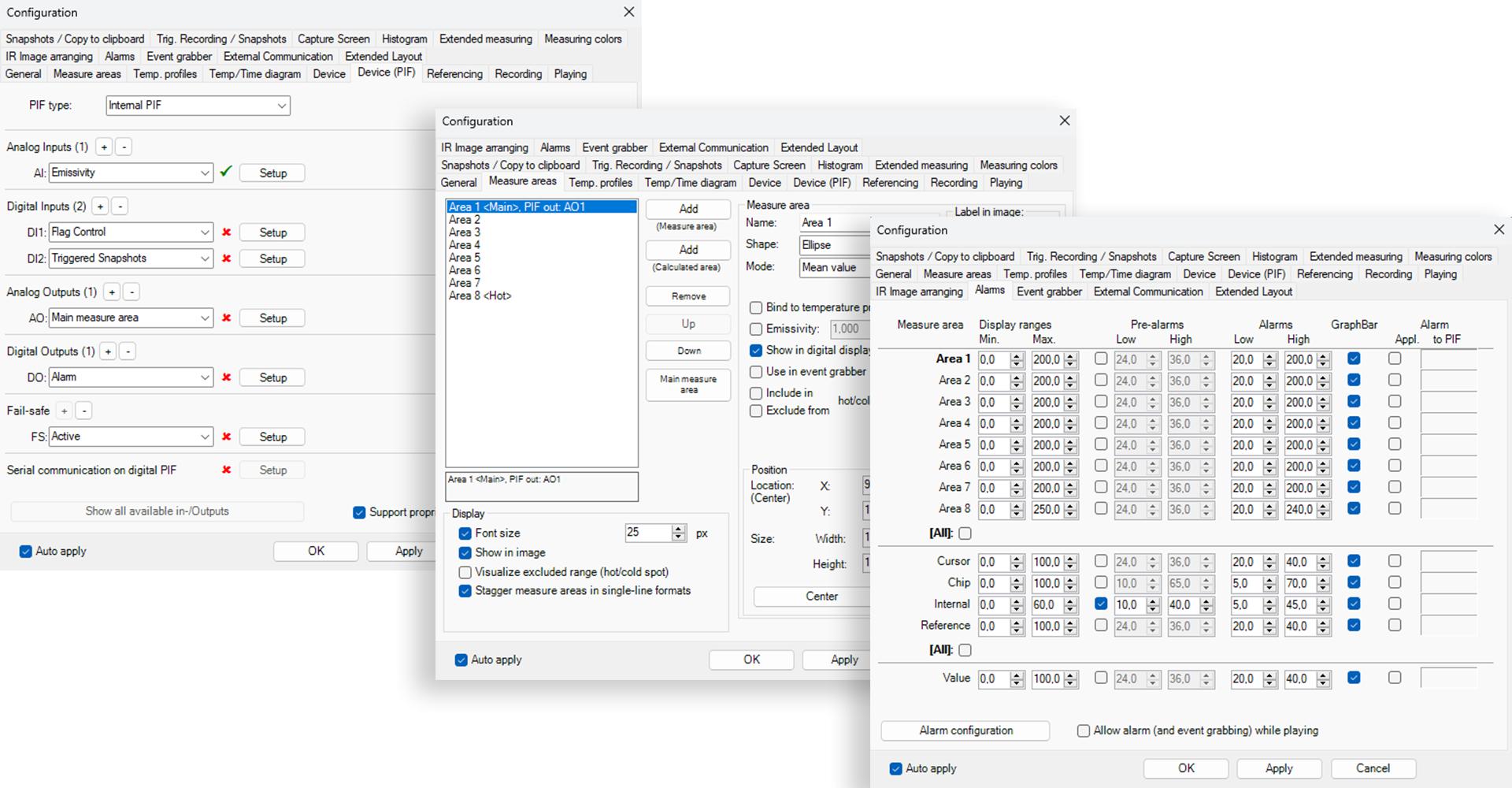
PIX Connect software enables comprehensive configuration of all Optris IR cameras. It supports adjustments for color palettes, temperature units, measurement ranges, and hardware-related settings such as frame rate and IP addresses.
Users can also configure optics emissivity, process interfaces, and digital interfaces. The software facilitates focus settings and the setup of autonomous functions, providing user-friendly yet complete control of IR camera performance.
Unlimited Amount of Measurement Areas in any Shape
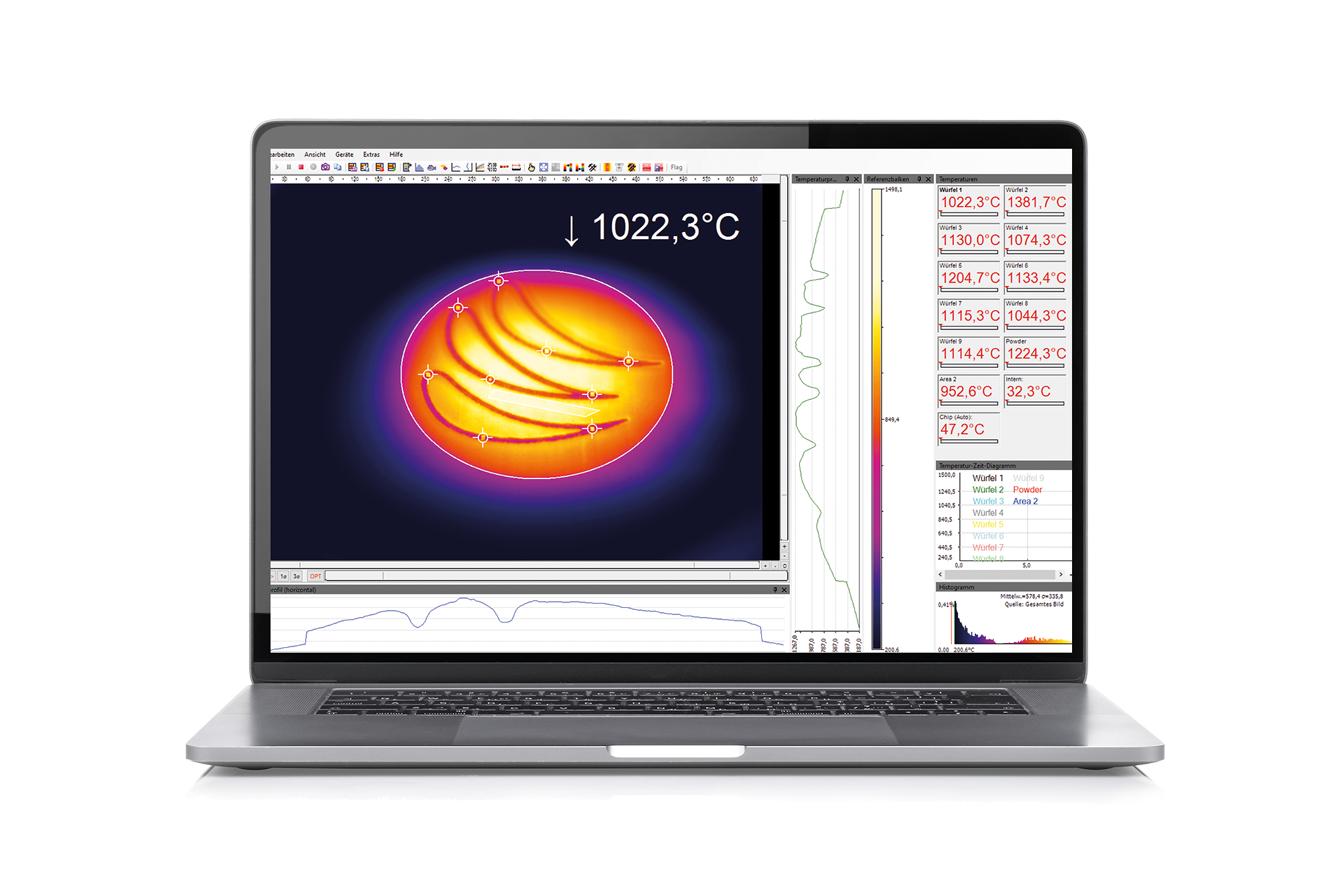
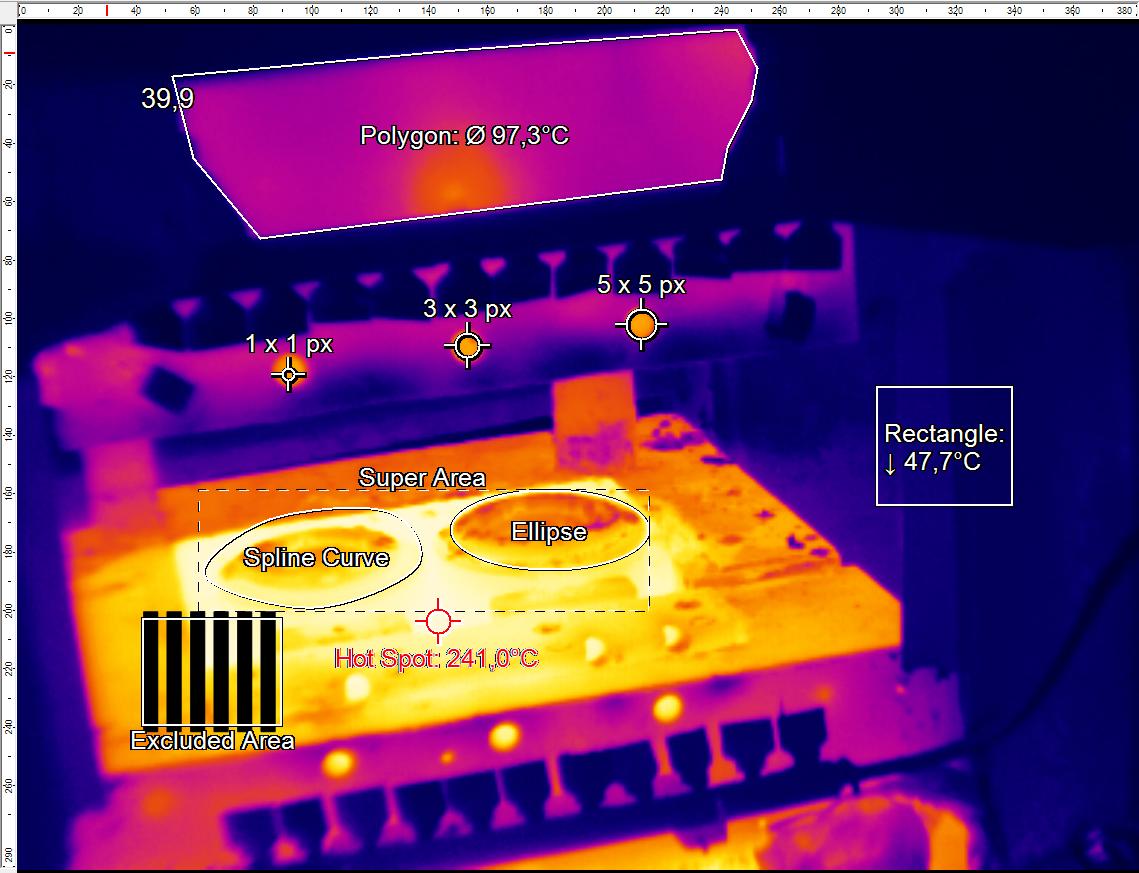
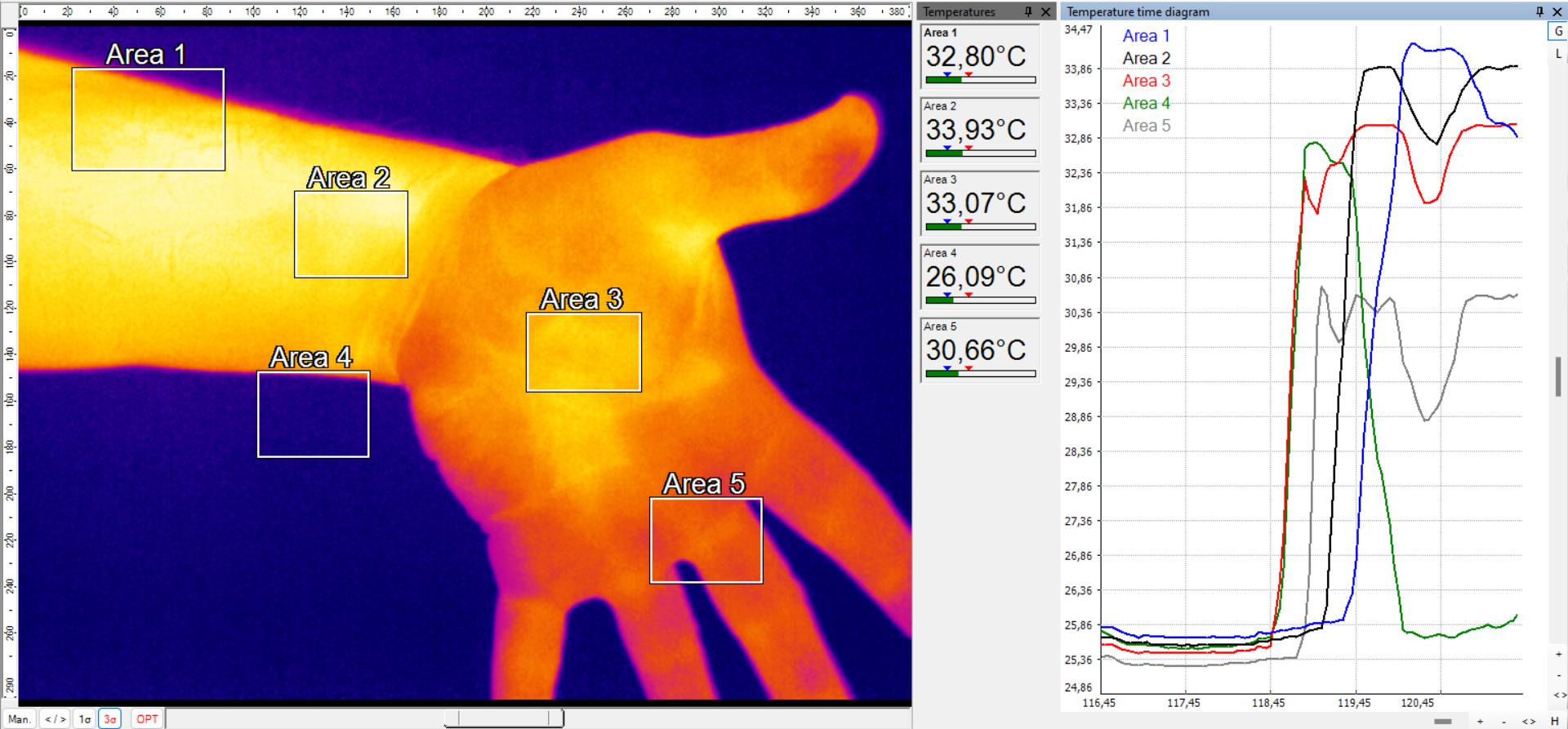
PIX Connect supports unlimited measurement fields, also known as regions of interest, with various shapes, including user-defined rectangles, measure points (1×1, 2×2, 3×3, 5×5), ellipses, polygons, curves (spline), and super areas.
Displayed values can be minimum, maximum, mean, or distribution percentage. Users can view these values in field mode or via toolbar icons, and convert percentage distribution into area size for precise analysis.
Individualize and Customize the Software with Layout, Templates, Overlays and Formulas
PIX Connect offers extensive customization with fully customizable templates, overlays, and formulas. Users can monitor thermal images in real-time through a personalized dashboard, managing pre-designed or custom image layouts. The software allows showing or hiding individual bars and choosing displayed windows, easily changing their positions. Windows can be positioned separately or fixed within the screen, ensuring a tailored user experience.
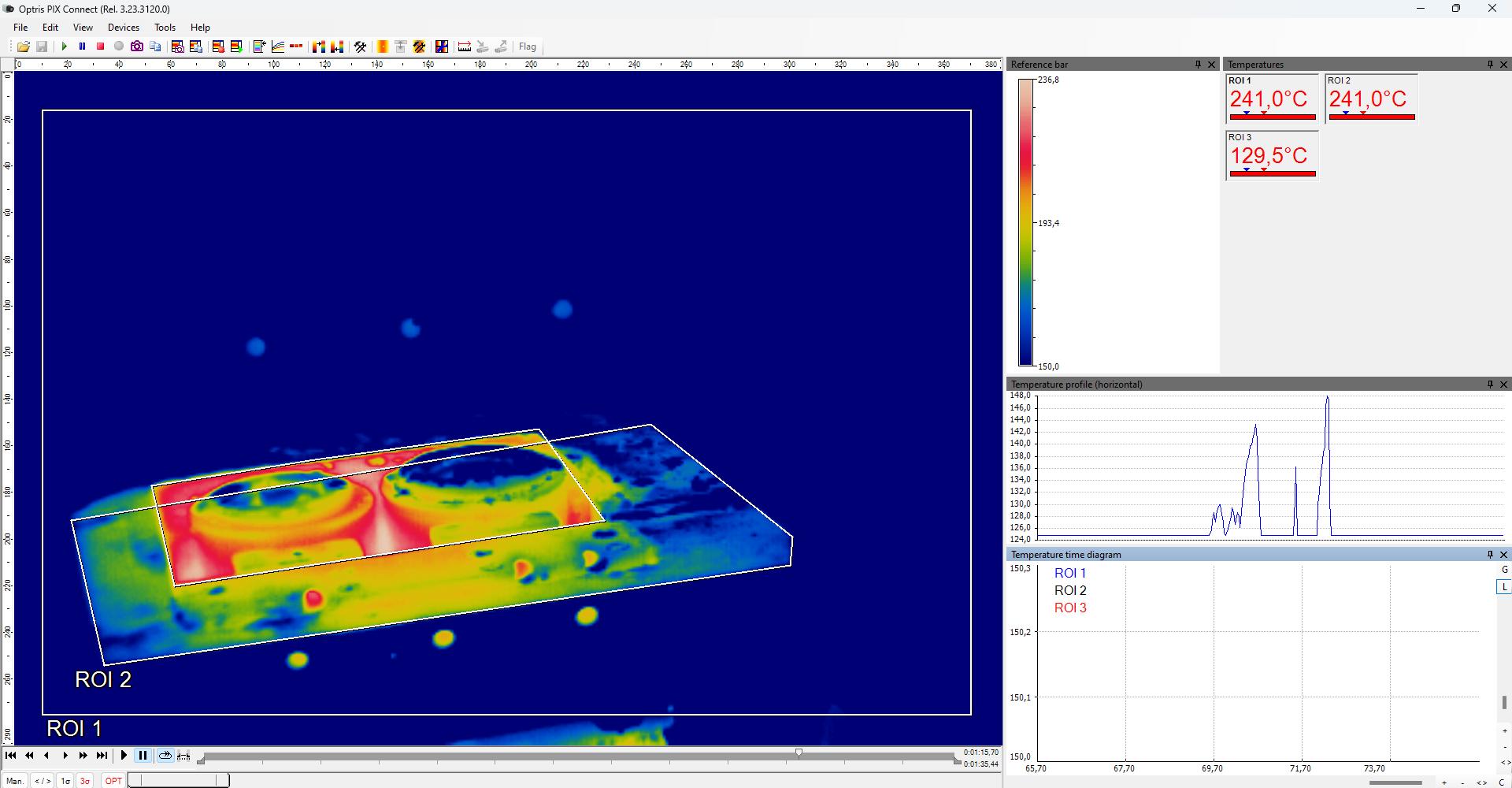
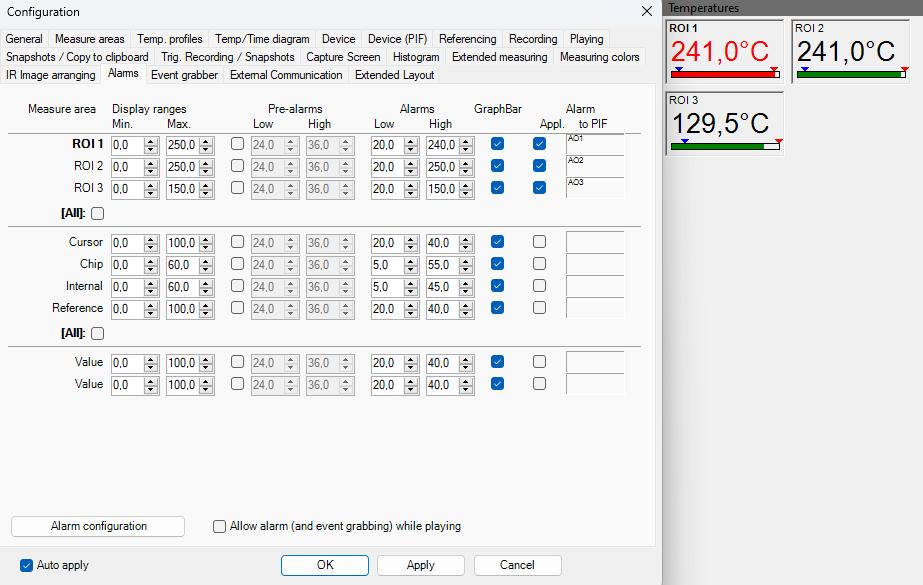
Extensive Alarm and Warning Functions for Visual, Audible Alerts and Outputs
The software is designed for alarm and warning, displaying alarm values as figures on digital displays or graphically as bars, and forwarding them to external interfaces.
Alarms can be triggered based on various criteria, such as temperature, rate of change, standard deviation, the percentage of pixels exceeding a set threshold, or the difference between two measurements. Besides visual alerts, audible alarms can be configured for enhanced monitoring.
Analyze, Record, Segment, and Edit Thermal Files for Detailed Analysis
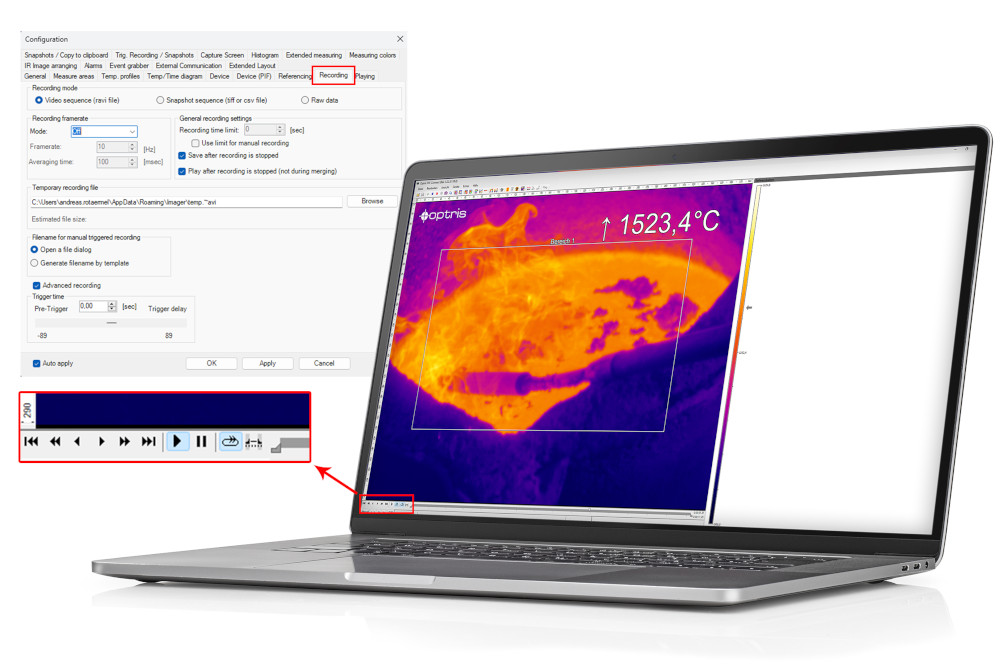
PIX Connect offers robust recording and playback functionality. Features include recording, snapshots, data capturing, replay options, and editing radiometric video sequences. It records raw, uncompressed temperature data, allowing export to CSV or DAT files for post-processing in other software. Additionally, images and screenshots can be saved to the clipboard for easy access.
Advanced Line Scanner Function for Continuous Process Monitoring
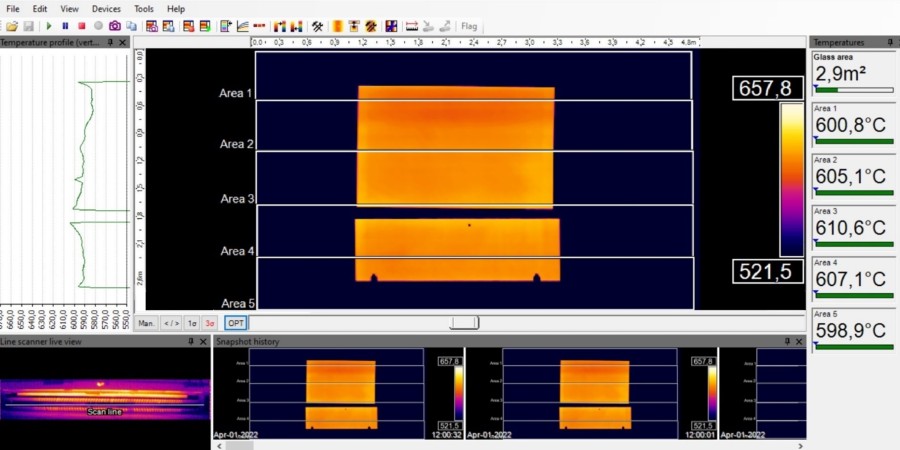
The popular line scanner function is included, ideal for continuous processes with moving objects with limited optical access, such as through a slit.
This function extends pixel count via picture diagonal, rapidly records unlimited lines, and produces thermal images of any resolution, offering a wide field of view for detailed process analysis. The software’s auto-slit detection simplifies the commissioning and alignment of the IR cameras.
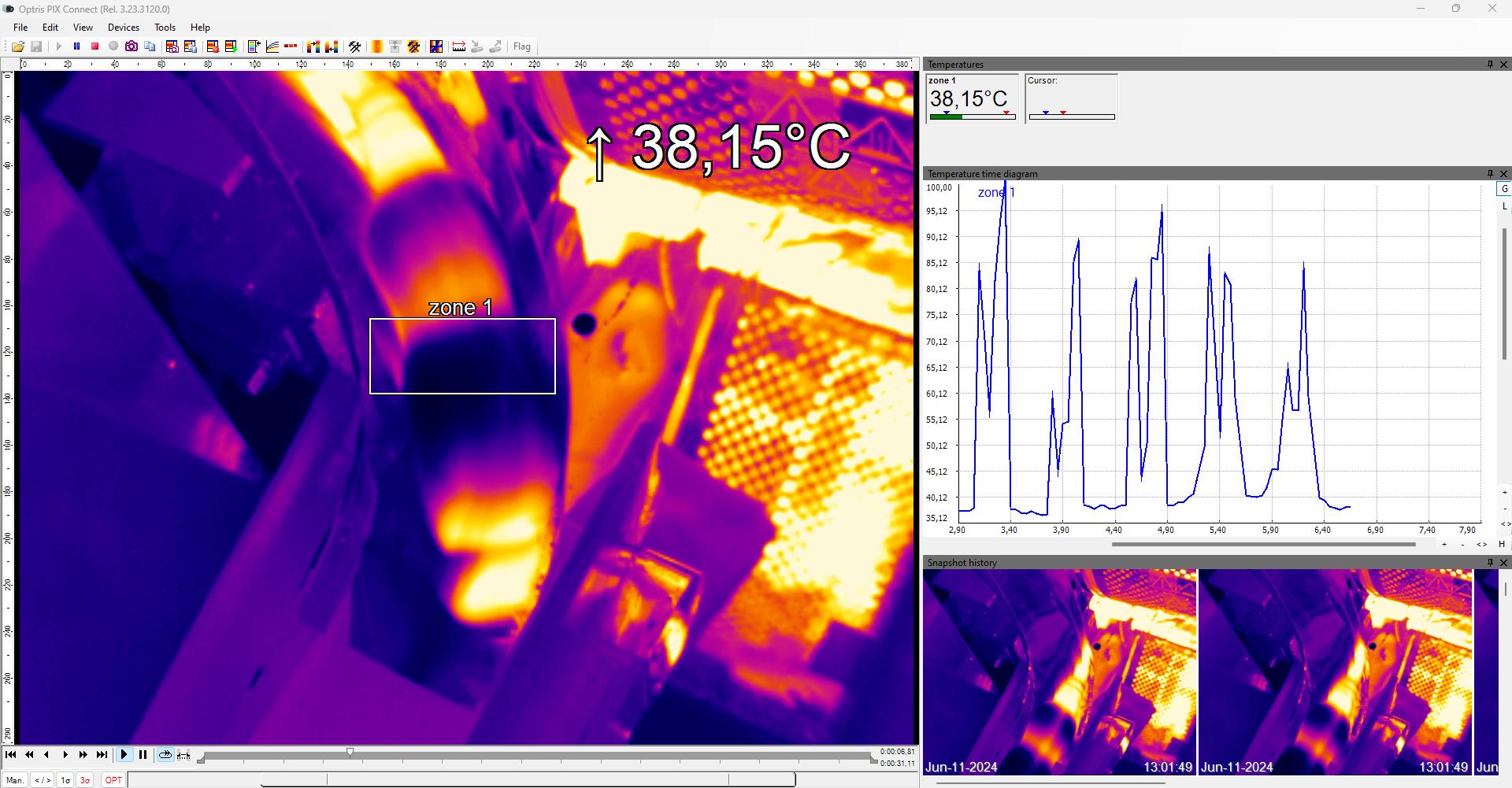
Thermal Product-by-Product Analysis in Dynamic Batch Processes with the Event Grabber
The EventGrabber simplifies batch processes by capturing snapshots of each object during fast-paced, recurring manufacturing processes when an alarm condition occurs.
This enables the analysis of critical automated thermal inspection for each individual object and comparison between them. Users can choose between self-triggered mode, which activates due to an alarm within a region of interest, and externally triggered mode for greater flexibility.
Merging of Multiple IR Imagers into One Comprehensive View
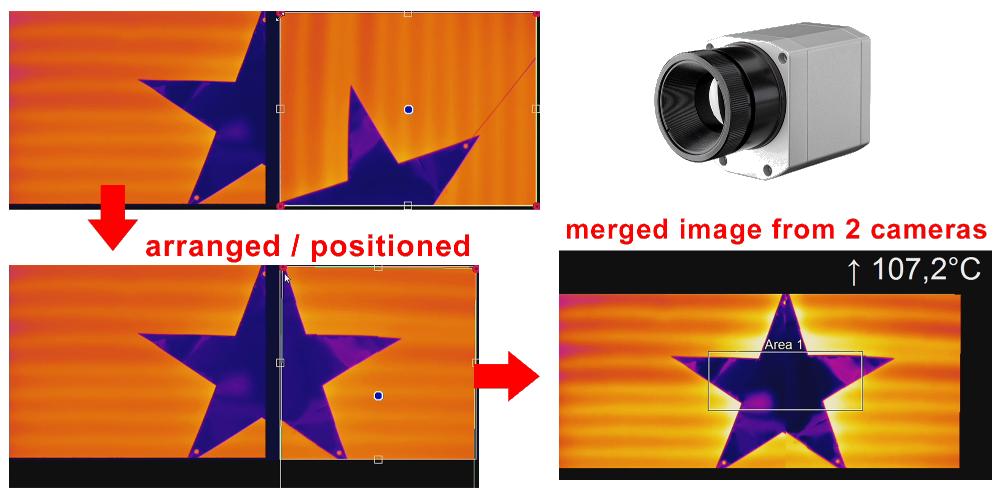
The merging function in PIX Connect combines multiple thermal images for detailed analysis of large objects or different viewing angles. This stitching process ensures no critical data is missed and supports various image resolutions and offsets.
Accessible through the software’s intuitive interface, it integrates multiple Optris IR camera feeds into one cohesive view, even if the images are tilted or have different resolutions.
Correct and Automatically Adjust Thermal Image with Optional External Reference Devices
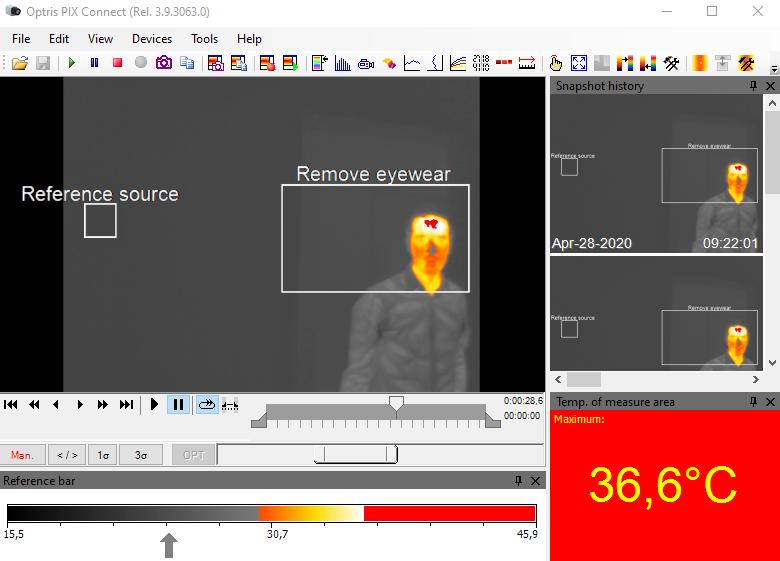
Enhance infrared data and temperature readings by referencing live input from external devices like Optris pyrometers, contact temperature sensors, black bodies, or a fixed value.
The reference function automatically adjusts optical parameters, such as emissivity, to match the temperature input, improving accuracy. This is particularly beneficial for applications requiring precision beyond the IR cameras specifications, ensuring reliable and accurate temperature measurements in demanding environments.
Advanced Signal Processing Capabilities
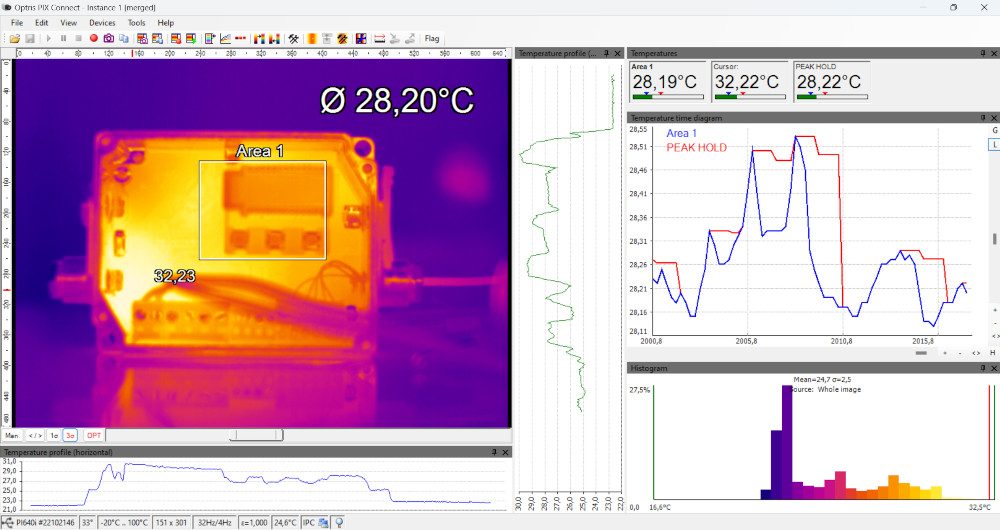
The infrared software solution offers advanced data processing capabilities with various algorithms and functions. Users can perform signal processing operations, including or excluding areas, and setting individual emissivity values.
The software supports image subtraction and advanced peak and valley hold signal processing, enabling the adjustment and scaling of feedback input for control loops in machinery applications.
Visualization of Temperature Trends, Histograms and Temperature Profiles
PIX Connect features advanced tools, including temperature time diagrams, temperature profiles, histograms, and 3D thermal image displays. Thermal images can be visualized in real-time with 3D plots, allowing users to observe temperature trends and historical data across all measurement areas in a single diagram.
The software supports customizable charts and graphs, enabling the display of data from different regions of interest and multiple cameras on the same chart.
Standalone Software without Internet connection required
PIX Connect software can operate autonomously and standalone without an internet connection, making it ideal for cybersecurity-critical applications.
All data is processed on a single computer, ensuring no data sharing with external parties. The software can be locked to prevent unauthorized local changes and can run in hidden mode to avoid user distraction. This standalone capability ensures robust data security and user privacy.
Regular Software and Firmware Updates, Download of Calibration Files
The PIX Connect software is the most convenient tool for upgrading Optris IR cameras with new firmware. It also allows users to remotely download the calibration files of the IR camera from the Internet.
This capability ensures that the cameras are always up-to-date and accurately calibrated, providing reliable and precise thermal imaging for various applications and industries.
Hardware Requirements
Minimum system requirements:
- Windows operating system
- USB 2.0-interface
- At least 2 GB RAM
- 2,0 GHz processor power
Recommended system requirements:
- Windows 10
- At least 2 GB hard disk storage for IR videos
- At least 4 GB RAM


Documentation
Datasheet
Technical Data
Changelog
CHANGELOG
TXT – 41.87 KB
PIX Connect Changelog
Complete the form to download the file
Manual
MANUAL
PDF – 4.4 MB
PIX Connect Manual
Complete the form to download the file
Whitepaper
Application Note
FAQs
Does the PIX Connect run on Linux?
PIX Connect is a Windows-based software.
How do I change the focus of an IR camera?
For a PI camera: Turn the lens manually to adjust the focus.
For an Xi camera: Click the distance button in the toolbar and use the slider to adjust the focus.
How do I change the temperature unit from C to F?
Right-click on the screen.
Select the temperature unit from the context menu.
Which languages are supported?
The software supports a variety of languages, including English, German, Italian, Spanish, French, Chinese, Japanese, Korean, Polish, Russian, and Turkish.
Does the software run on embedded systems?
The software’s performance on embedded systems and server operating systems is not guaranteed. Users should test this first to ensure compatibility and performance.
Does the PIXConnect require admin rights while being installed?
Yes, install and run with Admin rights active and if a virus scanner is used, please prevent the scanner from blocking our software.
Additional Videos
IX Connect: How to use the IR camera Webserver Function
PIX Connect: How to exclude or include certain measurement areas
PIX Connect: How to use the IR camera EasyComm Function
PIX Connect: Emmisivity settings
PIX Connect: Temperature-time diagram
PIX Connect: How to set up measure areas
PIX Connect: Using optris thermal imagers with LabVIEW interface
PIX Connect: LabVIEW integration via virtual COM Ports
PIX Connect: How to use the linescan function
PIX Connect: How to use merging function of infrared camera
PIX Connect: How to use inter-process communication (IPC) with our Software Development Kit
PIX Connect: How to trigger recordings and snapshots
PIX Connect: How to download/install calibration files and firmware updates
PIX Connect: How to record video files and take snapshots