


Profinet Interface-Kit
Profinet is an industrial Ethernet standard for real-time data exchange, enabling efficient communication in automation networks.
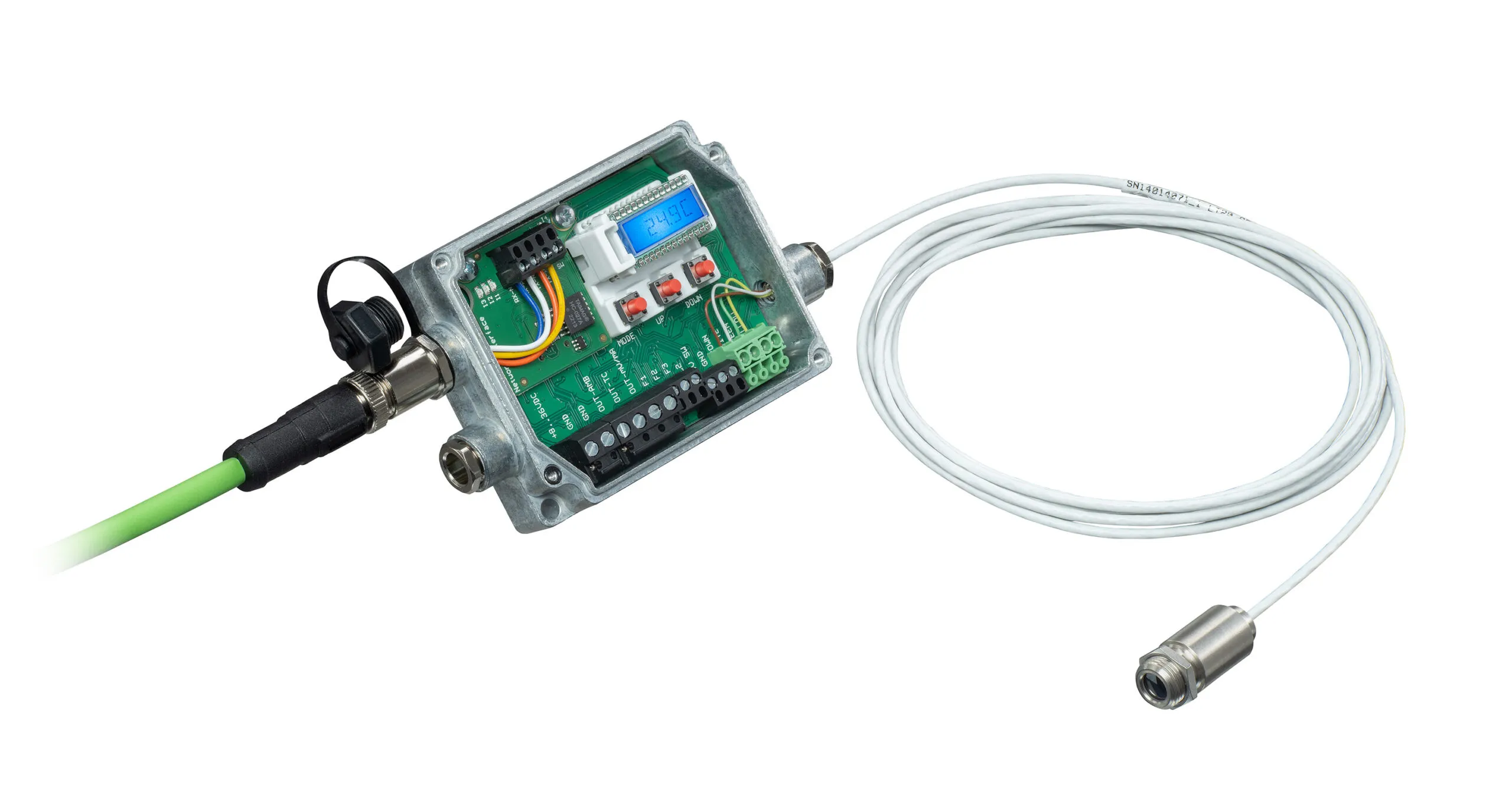
- ProfiNet interface
- ProfNet association approved
- Full documentation with GSD-files for Siemens PLCs
200,00€
Product Description
Profinet is an industrial Ethernet standard for real-time data exchange, enabling efficient communication in automation networks. Using Profinet with infrared temperature sensors ensures fast, accurate noncontact temperature control. The Optris Profinet Interface Kit, installable in Optris pyrometers, supports robust data communication up to 100 Mbit/s with IP67 protection. Configuration is simplified with a GSD file, maintaining functionality even if the electronic box is replaced.
- ProfiNet interface
- ProfNet association approved
- Full documentation with GSD-files for Siemens PLCs
Specification
General Specifications
Environmental rating: IP67 (Nema-4) (when installed)
Operating temperature: -20 °C to 80 °C
Relative humidity: 10 – 95 %, non-condensing
Interface Board Characteristics
Port Protocol: Profinet
Transfer speed: up to 100Mbit/s full-duplex, auto-negotiation capable
Connector: 1 x M12, D-coded
The CT Profinet module maps various pyrometer data, including object temperature, internal temperature, and device status, to its Input Assembly. This information is then transmitted to the Profinet network using CIP. During the initialization phase, the CT Profinet interface board sends the device’s configuration data, which can be set up through the PLC programming software Controller Tags. Additionally, the CT Profinet interface board enables you to modify a subset of sensor parameters in data exchange mode using different classes.
Downloads
FAQs
What is the IP address of the Kit in delivery condition?
The IP mode is static and the IP Address is: 192.168.0.102
How I can change the IP mode and the IP Address?
You can change the IP mode and the IP address via the web interface or with the delivered Excel-Sheet like described in the manual.
I have lost the USB Stick with the ESD file; what do I do?
You can download the files directly from our website under the tab download.
Do I need additional cables?
Ethernet cables shall be ordered separately.
How do I configure the interface?
Best practice is to use the webbrowser
What is the difference between Ethernet IP and standard Ethernet?
EtherNet/IP integrates the physical Ethernet cabling with the Internet Protocol (IP) for networking, combining them within its additionakl application layer protocol to enable industrial communication.
How do I reset the interface?
The interface must be switched off. Press the SW button on the board and switch the box on in the meantime. The LED flashes red. Release the button the fifth time it flashes. The LED flashes green 5 times as confirmation.
Can I connect multiple devices to the same network?
Yes, but each of the devices must get an own IP address but they must be in the same subnet.
Which connector is used?
The industrial interface has a 4-pin, M12, D-coded connector.
Where are the network settings stored?
The network settings are stored on the interface board, which communicates with the Optris devices via the serial interface. The network settings remain on the board when the Optris devices are exchanged.
How to distinguish between network interfaces?
All Network interfaces for Optris CT series have the same hardware, to distinguish between different industrial interfaces the different times flashing of the I4 LED must be considered after powering the interface.
1 x flashing means Ethernet TCP/IP / Modbus TCP
2 x flashing means EtherNet/IP
3 x flashing means Profinet
Scope of Supply
- 1x Interface board (static IP mode, IP address: 192.168.0.102)
- 1x M12 4-pin connector
- 1x Extension cable (20cm) with RJ45 socket and M12 4-pin connector
- 1x USB stick including software and manual
- 1x Quick reference Mounting screws

Talk to us about your IR Temperature Measurement Requirements
Our Infrared Temperature Measurement experts can help you find the right Optris product for your application.
